botbridge - Inbox, Replies & Tickets
Rating
—
Type
Script
Works with
Standard Bot
Model Bot
This script works with botbridge to bring a next-level web-managed IM and
L$ 1,699
Purchase can be refunded within 3 days
(No Questions policy)
Product Description
This script works with botbridge to bring a next-level web-managed IM and Ticketing service to your SecondLife bot.
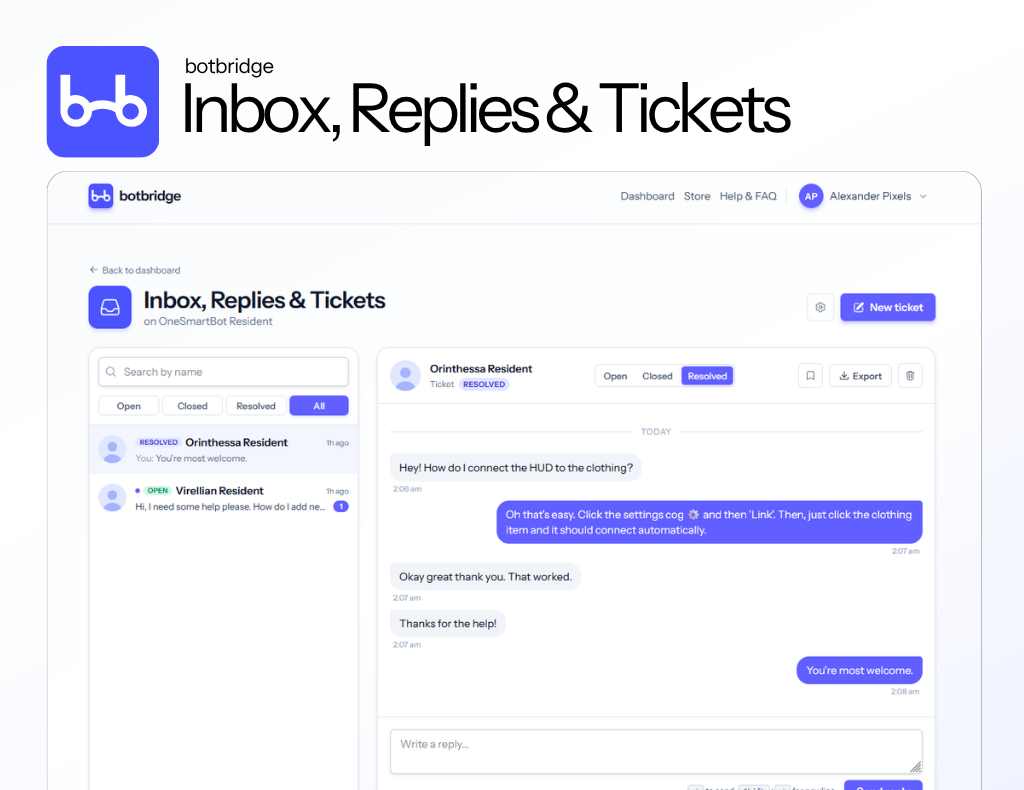
Every IM your bot receives lands instantly in your botbridge dashboard. Reply from any browser, on any device - your bot delivers the message in-world as if you were typing it yourself. No more logging into SL just to answer a question, no more juggling IM tabs across multiple alts.
Switch on Ticketing mode and the inbox becomes a proper helpdesk. New conversations open as tickets automatically. Mark tickets resolved or closed when complete to hide them from view.
Optional in-world notifications: when a ticket is opened or reopened, your bot can IM you directly in SecondLife with a customisable message and a deep link to the conversation. So you can be off-world and still hear about a new customer the moment they reach out.
Features at a glance
- Live inbox of every avatar that IMs your bot and history
- Reply from the web - no viewer required
- Ticketing mode with Open/Closed/Resolved statuses and filtering
- Start new conversations from the dashboard by name
- Customisable in-world notification IMs with a direct link to each ticket
- CSV export functionality
- Pin important conversations to the top
Setting up
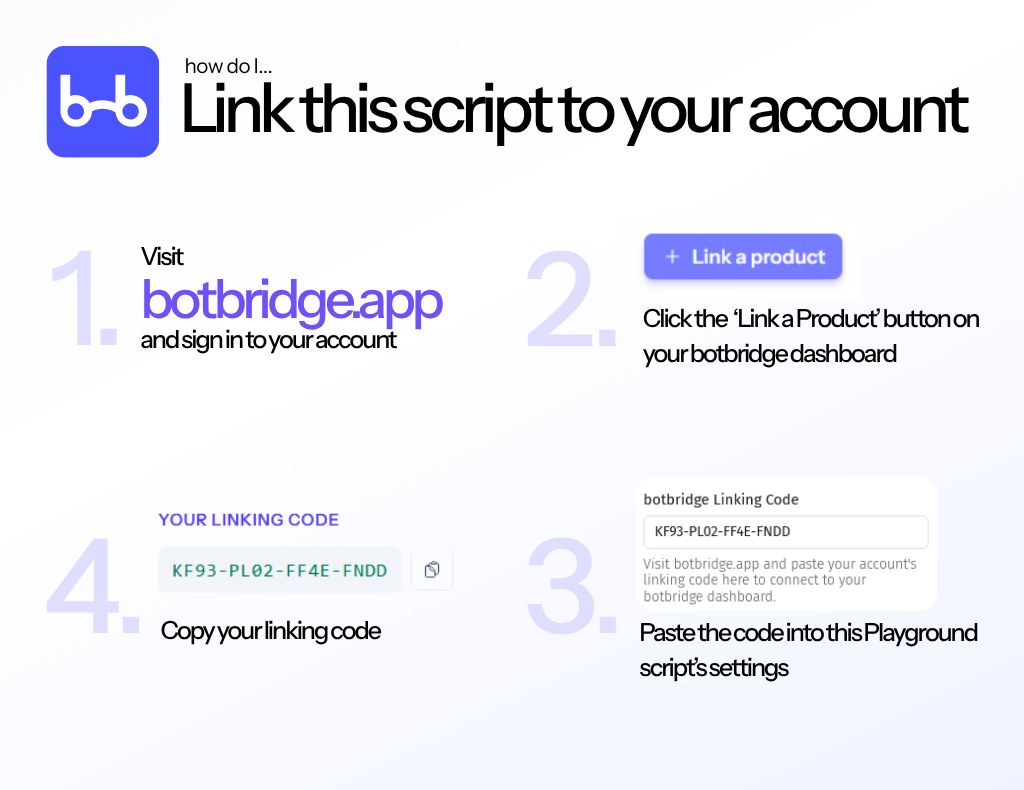
For setup instructions, see the screenshots on this page - they walk through getting your linking code and pasting it into this script's settings.
About botbridge
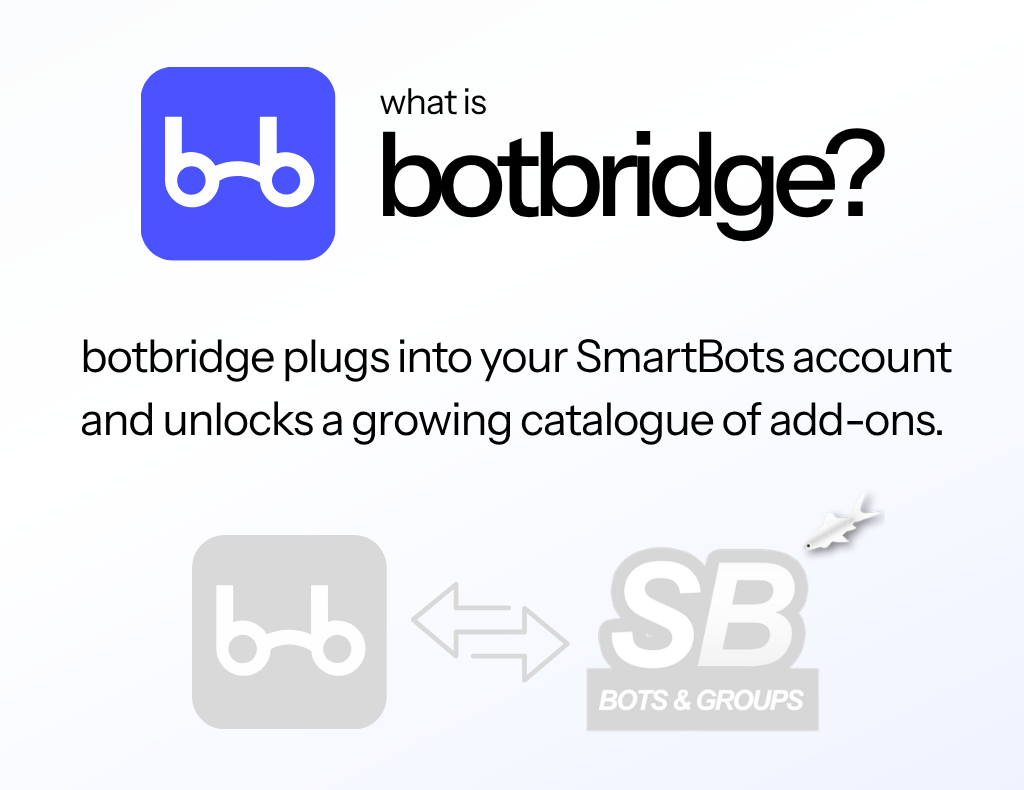
botbridge is a web dashboard for managing SmartBots - our growing catalogue of scripts bring a new level of management to your SecondLife bots. For information, including FAQs, troubleshooting and feature requests, head to: https://botbridge.app
Script permissions
This script will ask you for the following permissions:
- INSTANT_MESSAGE - Script is allowed to send Instant Messages
Author
botbridge
Release date:2026-05-21
Get support:https://botbridge.tawk.help/